


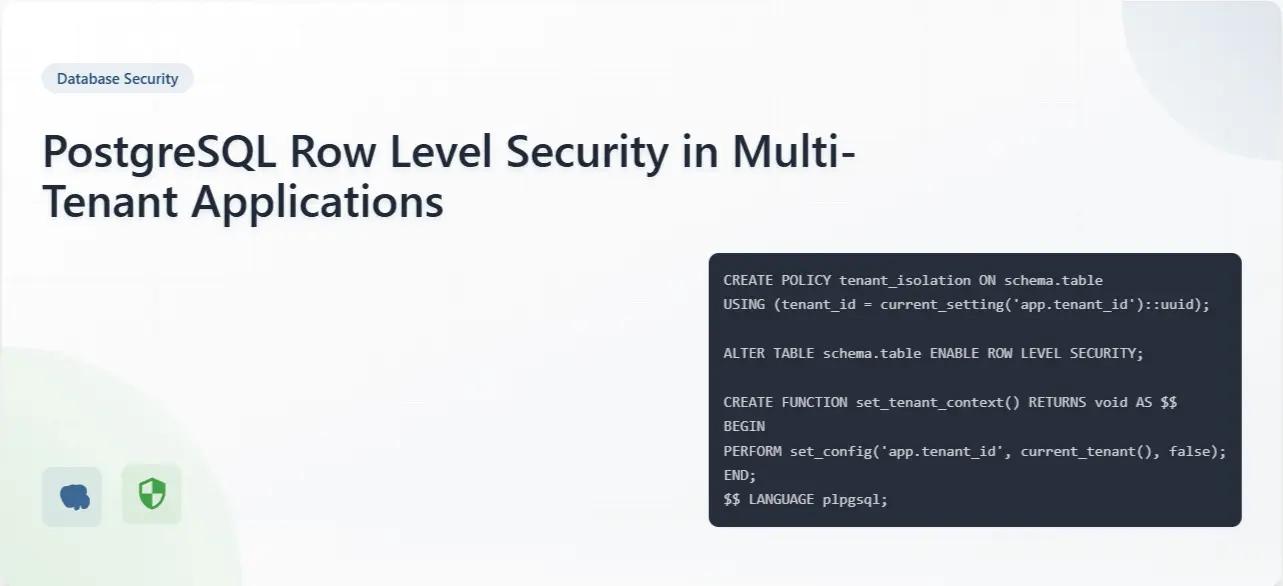
Row Level Security (RLS) in PostgreSQL is a powerful feature that enables fine-grained access control at the database level. For multi-tenant applications, especially when building scalable systems with backend architecture and database design services, where a single system serves multiple client organizations, RLS offers an elegant solution to ensure data isolation without complex application-level filtering. Let's explore how to implement and leverage this feature effectively.
Understanding the Multi-Tenant Challenge
In multi-tenant applications, one of the primary security concerns is ensuring that tenants can only access their own data. Traditionally, developers have addressed this in several ways:
- Separate databases for each tenant (high isolation, high overhead)
- Separate schemas for each tenant (moderate isolation, moderate overhead)
- Shared tables with tenant_id columns and application-level filtering (low isolation, low overhead)
These challenges are commonly addressed through secure multi-tenant application development strategies.
PostgreSQL's RLS introduces a fourth approach: shared tables with database-level security policies. This approach is widely used in modern enterprise software development and data security architectures.
How PostgreSQL RLS Works
RLS allows you to define security policies that determine which rows a user can view or modify in a table. These policies are enforced at the database level, meaning they apply regardless of how the data is accessed.
Here's the basic workflow:
- Enable RLS on a table
- Create policies that define access rules
- Connect to the database with appropriate role and tenant context
Implementation Example
Let's implement RLS for a multi-tenant application with the following tables:
-- Create a table to store tenant information
CREATE TABLE tenants (
    id SERIAL PRIMARY KEY,
    name TEXT NOT NULL,
    subdomain TEXT UNIQUE NOT NULL
);

-- Create a users table with tenant association
CREATE TABLE users (
    id SERIAL PRIMARY KEY,
    tenant_id INTEGER NOT NULL REFERENCES tenants(id),
    email TEXT NOT NULL,
    name TEXT NOT NULL,
    created_at TIMESTAMP WITH TIME ZONE DEFAULT CURRENT_TIMESTAMP
);

-- Create a projects table with tenant association
CREATE TABLE projects (
    id SERIAL PRIMARY KEY,
    tenant_id INTEGER NOT NULL REFERENCES tenants(id),
    name TEXT NOT NULL,
    description TEXT,
    created_at TIMESTAMP WITH TIME ZONE DEFAULT CURRENT_TIMESTAMP
);

-- Create a tasks table linked to projects
CREATE TABLE tasks (
    id SERIAL PRIMARY KEY,
    project_id INTEGER NOT NULL REFERENCES projects(id),
    title TEXT NOT NULL,
    description TEXT,
    status TEXT DEFAULT 'pending',
    assigned_to INTEGER REFERENCES users(id),
    created_at TIMESTAMP WITH TIME ZONE DEFAULT CURRENT_TIMESTAMP
);
Step 1: Enable RLS on tables
Now let's enable RLS on our tables and create policies:
-- Enable RLS on the tables
ALTER TABLE users ENABLE ROW LEVEL SECURITY;
ALTER TABLE projects ENABLE ROW LEVEL SECURITY;
ALTER TABLE tasks ENABLE ROW LEVEL SECURITY;

-- Create a custom function to get the current tenant ID
CREATE OR REPLACE FUNCTION current_tenant_id()
RETURNS INTEGER AS $$
BEGIN
    RETURN current_setting('app.current_tenant_id', TRUE)::INTEGER;
EXCEPTION
    WHEN OTHERS THEN
        RETURN NULL;
END;
$$ LANGUAGE plpgsql;

-- Create RLS policies for each table
CREATE POLICY tenant_isolation_policy ON users
    USING (tenant_id = current_tenant_id());

CREATE POLICY tenant_isolation_policy ON projects
    USING (tenant_id = current_tenant_id());

-- For tasks, we need to join with projects to get the tenant_id
CREATE POLICY tenant_isolation_policy ON tasks
    USING (project_id IN (SELECT id FROM projects WHERE tenant_id = current_tenant_id()));

-- By default, make tables inaccessible unless a policy explicitly allows access
ALTER TABLE users FORCE ROW LEVEL SECURITY;
ALTER TABLE projects FORCE ROW LEVEL SECURITY;
ALTER TABLE tasks FORCE ROW LEVEL SECURITY;
Step 2: Create a mechanism to set the tenant context
When a user logs in, your application needs to establish the tenant context. Here's how you might do it in a connection-based approach:
-- For superusers/admins who need to bypass RLS
CREATE ROLE app_admin;
ALTER ROLE app_admin BYPASSRLS;

-- For regular application access
CREATE ROLE app_user;

-- When a user logs in, set the tenant context
-- This would be done in your application code
SET app.current_tenant_id = 1;  -- Replace with actual tenant ID

-- Testing the policies
SELECT * FROM users;  -- Will only return users from tenant_id = 1
SELECT * FROM projects;  -- Will only return projects from tenant_id = 1
SELECT * FROM tasks;  -- Will only return tasks associated with projects from tenant_id = 1
Step 3: Application integration
Here's an example of how you might integrate this with a Node.js application using the pg library:
const { Pool } = require('pg');
const pool = new Pool({
  connectionString: process.env.DATABASE_URL
});

// Middleware to set tenant context
async function setTenantContext(req, res, next) {
  const client = await pool.connect();

  try {
    // Get tenant_id from user session or subdomain
    const tenantId = req.user.tenantId; // Or derive from subdomain/JWT

    // Set the tenant context for this connection
    await client.query('SET app.current_tenant_id = $1', [tenantId]);

    // Attach client to request for use in route handlers
    req.dbClient = client;

    next();
  } catch (error) {
    await client.release();
    next(error);
  }
}

// Example route using the tenant context
app.get('/projects', setTenantContext, async (req, res) => {
  try {
    const result = await req.dbClient.query('SELECT * FROM projects');
    res.json(result.rows); // Only returns projects for the current tenant
  } catch (error) {
    res.status(500).json({ error: error.message });
  } finally {
    req.dbClient.release();
  }
});
Advanced RLS Patterns
1. Dynamic Policies Based on User Roles
You can create more complex policies that take into account user roles within a tenant:
-- Create a function to get the current user's role
CREATE OR REPLACE FUNCTION current_user_role()
RETURNS TEXT AS $$
BEGIN
    RETURN current_setting('app.current_user_role', TRUE);
EXCEPTION
    WHEN OTHERS THEN
        RETURN NULL;
END;
$$ LANGUAGE plpgsql;

-- Create a policy that allows full access to admins within their tenant
CREATE POLICY admin_policy ON projects
    USING (tenant_id = current_tenant_id())
    WITH CHECK (
        tenant_id = current_tenant_id() AND
        current_user_role() = 'admin'
    );

-- Create a policy that allows read-only access to regular users
CREATE POLICY viewer_policy ON projects
    FOR SELECT
    USING (
        tenant_id = current_tenant_id() AND
        current_user_role() = 'viewer'
    );
2. Row-Level Permissions with User Ownership
For even more granular control, you can combine tenant isolation with user-specific permissions:
-- Create a function to get the current user's ID
CREATE OR REPLACE FUNCTION current_user_id()
RETURNS INTEGER AS $$
BEGIN
    RETURN current_setting('app.current_user_id', TRUE)::INTEGER;
EXCEPTION
    WHEN OTHERS THEN
        RETURN NULL;
END;
$$ LANGUAGE plpgsql;

-- Add creator_id to projects table
ALTER TABLE projects ADD COLUMN creator_id INTEGER REFERENCES users(id);

-- Policy to allow users to see all projects in their tenant,
-- but only modify ones they created
CREATE POLICY project_view_policy ON projects
    FOR SELECT
    USING (tenant_id = current_tenant_id());

CREATE POLICY project_modify_policy ON projects
    FOR UPDATE
    USING (
        tenant_id = current_tenant_id() AND
        (creator_id = current_user_id() OR current_user_role() = 'admin')
    );
Performance Considerations
While RLS provides excellent security, it does come with some performance implications:
- Optimising these systems requires expertise in database performance optimisation and scalable system design.
- Query Planning Overhead: RLS adds complexity to query planning.
- Join Complications: Policies involving joins can impact performance on large tables.
- Index Usage: Ensure proper indexing on tenant_id columns for optimal performance.
To optimize performance:
-- Add indexes on tenant_id columns
CREATE INDEX idx_users_tenant_id ON users(tenant_id);
CREATE INDEX idx_projects_tenant_id ON projects(tenant_id);

-- For the tasks table, index the foreign key used in the join
CREATE INDEX idx_tasks_project_id ON tasks(project_id);

-- For frequently accessed data, consider partitioning by tenant_id
CREATE TABLE projects_partitioned (
    id SERIAL,
    tenant_id INTEGER NOT NULL,
    name TEXT NOT NULL,
    description TEXT,
    created_at TIMESTAMP WITH TIME ZONE DEFAULT CURRENT_TIMESTAMP,
    PRIMARY KEY (tenant_id, id)
) PARTITION BY LIST (tenant_id);

-- Create partitions for each tenant (or tenant group)
CREATE TABLE projects_tenant_1 PARTITION OF projects_partitioned
    FOR VALUES IN (1);

CREATE TABLE projects_tenant_2 PARTITION OF projects_partitioned
    FOR VALUES IN (2);

-- Enable RLS on the partitioned table
ALTER TABLE projects_partitioned ENABLE ROW LEVEL SECURITY;
CREATE POLICY tenant_isolation_policy ON projects_partitioned
    USING (tenant_id = current_tenant_id());
Security Best Practices
- Always test your policies: Verify that data isolation works as expected under different scenarios.
- Use connection pooling carefully: Make sure tenant context is set correctly when reusing connections.
- Implement application-level validation: Don't rely solely on RLS; validate tenant access at the application level too.
- Regular security audits: Periodically review RLS policies and test for potential vulnerabilities.
- Handle errors gracefully: Invalid tenant context should lead to empty results, not errors.
These practices align with modern application security and compliance services for enterprise systems.
Conclusion
PostgreSQL's Row Level Security provides a powerful and elegant solution for multi-tenant data isolation. By implementing security at the database level, you reduce the risk of application-level security bugs while maintaining the efficiency of a shared-table architecture.
The examples provided should give you a solid foundation for implementing RLS in your own multi-tenant applications. Remember to balance security needs with performance considerations and always test thoroughly before deploying to production.
With proper implementation, PostgreSQL RLS can significantly simplify your multi-tenant architecture while providing robust security guarantees If you're building secure multi-tenant systems, explore our custom software development and backend engineering services that your tenants can trust.